How this QR code generator works
Codes are rendered in your browser. Two small server routes exist so you can turn a link into a QR code image without opening the site at all. This page explains both, and says who is behind it.
QR codes are drawn in your browser
The generator on the home page uses qrcode.js for QR codes and bwip-js for the other eleven symbologies. Both are plain JavaScript libraries that run inside your tab and paint into a canvas.
Nothing is uploaded. The URL, the text, the logo image you pick and the colours you choose stay on your device — there is no request that could carry them anywhere, which you can confirm in your browser's network panel.
The same applies to the other tools. The QR code reader decodes an uploaded or pasted image in the tab, without a camera and without sending the image anywhere. The bulk QR code generator takes a list or a CSV and zips hundreds of PNG or SVG codes locally. The size calculator works out the minimum print size from the scan distance and the content, and the glossary defines the terms the rest of the site uses.
QRCode.toCanvas(canvas, url, options)
bwipjs.toCanvas(canvas, { bcid, text })
ctx.drawImage(logo, x, y, w, h)
canvas.toDataURL('image/png')
✓ All local. No network requests.
The image API and the share page
There are two URL routes, and they return different things.
makeqrco.de/qr/<url>
returns a 512×512 image/png, or a different size,
colour or format when you pass query parameters. That is the one to use
in an <img> tag, in markdown, or in an HTML
email.
makeqrco.de/<url>
without the /qr/ segment returns an HTML page
showing the same code, with Open Graph tags so it unfurls with a preview when you paste
it into Slack, Discord or WhatsApp. It is a sharing surface for people, so it carries
noindex and loads no analytics.
Both render on request. Nothing is written to disk and there is no database. Responses are cached for 24 hours so a repeated link is cheap to serve. The API page documents parameters, limits and error behaviour.
# Image, in HTML
<img src="https://makeqrco.de/qr/https://example.com" alt="QR code">
# Image, in Markdown
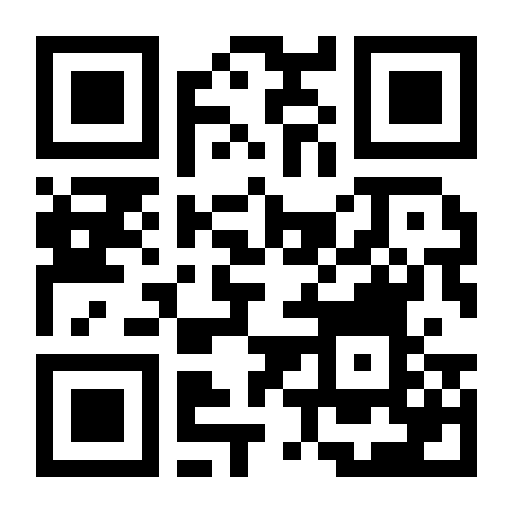
# Shareable page with a link preview
https://makeqrco.de/https://example.com
Who runs makeqrco.de
makeqrco.de is built and maintained by Kyllian, a software developer who publishes under the GitHub organisation InstantlyMoist. It is a side project, not a company: there is no team, no funding and nothing to sell you. The full source for this site lives at github.com/Saul-as-a-service/makeqrco.de, so every claim on this page can be checked against the code that serves it.
It exists because most online QR code generators either wrap your link in a tracking redirect that can expire, gate the download behind an account, or stamp a watermark on the result. This one does none of those things, and the reason it can afford not to is that it costs almost nothing to run.
Bugs, feature requests and corrections are welcome as GitHub issues.
What is and is not collected
No accounts
No sign-up, no login, no user database. There is nothing stored about you to breach.
Cookieless analytics
Site pages load a cookieless script from api.panalytics.money, which counts page views, referrers, campaign tags and countries in aggregate. No cookies, no cross-site identifier. The share pages under makeqrco.de/<url> deliberately do not load it.
No stored payloads
The image API renders on request and returns the PNG. The encoded URL is not written to a database or a file by this application.
The full detail, including what the analytics records and what standard web-server logging can see, is in the privacy policy.
Guides
The same reasoning applied to the codes themselves: what actually decides whether one scans, written up properly.
-
Barcode or QR code, and what converting one into the other really means
A QR code is a 2D barcode. How it differs from a 1D barcode, how to turn a barcode into a QR code by re-encoding its digits, and why the checkout wants bars.
5 min read
-
Generate QR codes from a URL: the image API, end to end
A hands-on QR code API tutorial: embed a code in HTML, fetch it with cURL, render it in React and C#, and move requests over from api.qrserver.com.
9 min read
-
Why your QR code is not scanning
A QR code that fails to scan usually fails for one of eleven reasons, and this walks through each of them with the fix, from contrast to dead short links.
7 min read