Developers
Generate QR codes from a URL: the image API, end to end
A hands-on QR code API tutorial: embed a code in HTML, fetch it with cURL, render it in React and C#, and move requests over from api.qrserver.com.
You need a QR code inside something you are generating — an invoice PDF, a ticket email, a dashboard tile — and you do not want to add an encoding library, a build step and a place to store the resulting files just to get one.
The short version: https://makeqrco.de/qr/ followed by the text to encode
returns a QR code image. No API key, no sign-up, PNG or SVG. The rest of this
page covers every option, with examples for HTML, the shell, React and C#.
One GET, no key
GET https://makeqrco.de/qr/https://example.com
200 OK · Content-Type: image/png · 512×512
Everything after /qr/ is the payload. The server URL-decodes it, encodes it as
a QR symbol and streams back the image. With no options that is a 512-pixel
black-on-white PNG at error correction M with a two-module quiet zone. There is
no shortener and no redirect in the middle, so the symbol contains your URL
literally and a code you generate today keeps working whether or not this
endpoint does.
Two things trip people up on the first request. The // in https:// is
collapsed by a lot of HTTP stacks, so the endpoint restores https:/ back to
https:// for you — you can send either. And /qr/<url> is the image;
makeqrco.de/<url> without the /qr/ prefix is an HTML share page with Open
Graph tags, which will show as a broken image if you point an <img> at it.
Two ways to give it a payload
The path form is the one to reach for when the payload is a plain URL, including one with its own query string:
/qr/https://shop.example/p?id=42&ref=posterThe ?data= form is the one to reach for when it is anything else. It replaces
the path entirely, nothing else in the query string leaks into the payload, and
the render options still apply:
/qr/?data=WIFI%3AT%3AWPA%3BS%3ACafeGuest%3BP%3Ahunter2hunter2%3B%3B
/qr/?data=tel%3A%2B442079460000
/qr/?data=SMSTO%3A%2B447700900000%3ASee%20you%20at%20six
/qr/?data=geo%3A52.520008%2C13.404954
Run the payload through encodeURIComponent and you never have to think about
which characters matter. That is the only sane way to send a vCard, whose
\r\n line breaks would otherwise be mangled. The
WIFI: string reference has the exact syntax for the
first of those, and /wifi-qr-code/ will assemble one for you.
Every parameter
All eight are optional, all are validated, and out-of-range values are rejected rather than clamped.
| Parameter | Type | Default | Values |
|---|---|---|---|
data | string | — | any payload |
size | integer | 512 | 64–1024 (PNG), 64–2048 (SVG) |
margin | integer | 2 | 0–16 |
ec | enum | m | l | m | q | h |
dark | colour | black | #rgb, #rrggbb, #rrggbbaa, black, white, transparent, purple |
light | colour | white | as dark |
format | enum | png | png | svg |
download | boolean | false | 1 | true | yes | 0 | false | no |
A few of those need a sentence each.
size is the pixel width and height of the PNG. For SVG it sets the width and
height attributes, but the file also carries a viewBox and scales to whatever
box your layout gives it.
margin is the quiet zone measured in modules, not pixels. The specification
asks for four; the default of two buys a tighter image. Ask for 1, 2 or 3
explicitly and you still get a 200, but the response carries an X-QR-Warning
header saying so. Use margin=4 for anything printed, and margin=0 only when
you are placing the code on your own padded background.
ec is case-insensitive, so ec=H and ec=h are the same request. The four
levels and what each one costs you in module count are in the
error correction guide.
dark and light take a leading # or not, and # is awkward in a URL, so
dark=7c3aed is the usual spelling. purple is the site’s own #7c3aed. The
eight-digit #rrggbbaa form gives you alpha.
download adds Content-Disposition: attachment, so the browser saves
qrcode.png or qrcode.svg instead of displaying it. A bare ?download with
no value counts as true.
There is no logo parameter. Logos are composited onto a canvas in the browser by the generator, so a logo code has to come from there rather than from a URL.
PNG or SVG
/qr/https://example.com?size=1024          → PNG, 1024×1024
/qr/https://example.com?format=svg         → SVG, a few hundred bytes
PNG when something has to treat the result as a bitmap: an <img> in an HTML
email, a canvas, a slide, an OG image, anything that will be resized down but
never up. SVG for print, for large format, and for the web when you care about
the transfer size — the vector file is usually smaller than a 256-pixel PNG of
the same code and sharp at any size. Which to use when is the whole of
the file formats guide.
Transparent backgrounds
/qr/https://example.com?dark=7c3aed&light=transparentlight=transparent gives a genuinely transparent PNG, and an SVG with no
background rectangle at all rather than a white one. That is what you want when
the code sits on a coloured panel — but the modules still need to be much darker
than whatever shows through, and a photograph behind a transparent code is a
reliable way to make it unscannable.
If dark and light end up the same colour, you get the image and an
X-QR-Warning header telling you it has no contrast.
When your URL has its own query string
The payload lives in the path, and the query string is glued onto it. That is
deliberate — it is why a tracking URL works with no escaping at all. Only the
eight names in the table are claimed as options, matched exactly and
case-sensitively, so ?Size=1024 with a capital S is payload, and ?ref=poster
is payload.
The honest consequence is one collision. If your target URL carries size,
margin, ec, dark, light, format, download or data of its own, the
request is genuinely ambiguous:
/qr/https://shop.example/p?size=XL → 400: size=XL is not a whole numberTwo escape hatches, both exact:
/qr/https%3A%2F%2Fshop.example%2Fp%3Fsize%3DXL
/qr/?data=https%3A%2F%2Fshop.example%2Fp%3Fsize%3DXL
From a script, use the second one every time and the problem never arises.
Caching and CORS
Successful responses carry
Cache-Control: public, max-age=86400, s-maxage=86400, immutable and
Access-Control-Allow-Origin: *. The cache key is the entire URL, options
included, so two option sets are two cached images and repeating a link is
effectively free. SVG responses add Vary: Accept-Encoding, because the
compressed and uncompressed bytes differ under the same URL.
Everything is X-Robots-Tag: noindex, nofollow, which matters if you are
embedding codes on a public page: the image will not compete with your own
content in search results.
Embedding it
<img src="https://makeqrco.de/qr/https://example.com?size=256&dark=7c3aed"
alt="QR code for example.com" width="256" height="256" loading="lazy">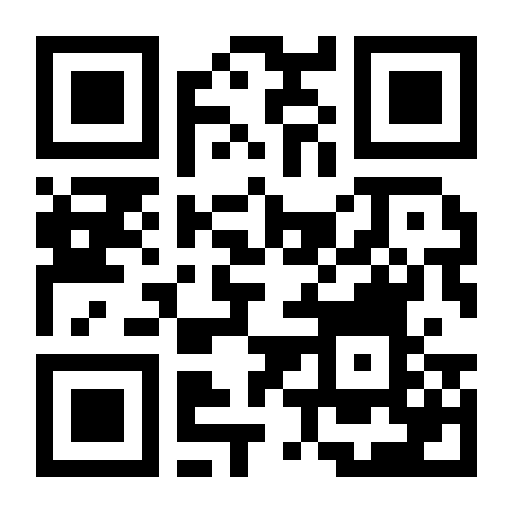HTML email. PNG only, absolute URL, explicit width and height, real
alt text. Most clients block remote images until the reader allows them, and
several fetch through an image proxy — both are fine here, because the response
is public and cacheable, but it does mean the code must be worth waiting for.
Notion. Paste the /qr/ URL into an image block and choose the embed-by-link
option; Notion fetches it like any other remote image.
Shell.
curl -o qr.svg "https://makeqrco.de/qr/https://example.com?format=svg&download=1"C# / .NET, with HttpClient and the payload escaped into ?data=:
using var http = new HttpClient();
var payload = Uri.EscapeDataString("https://example.com/invoice/2026-0142");
var svg = await http.GetByteArrayAsync(
    $"https://makeqrco.de/qr/?data={payload}&format=svg&margin=4");
await File.WriteAllBytesAsync("invoice-qr.svg", svg);React, with the payload encoded rather than pasted into the path:
export function QrCode({ value, size = 256, ec = 'm' }) {
  const src =
    `https://makeqrco.de/qr/?data=${encodeURIComponent(value)}` +
    `&size=${size}&ec=${ec}&margin=4`;
  return (
    <img src={src} width={size} height={size} loading="lazy" decoding="async"
         alt={`QR code linking to ${value}`} />
  );
}
Coming from api.qrserver.com
The goQR.me API at api.qrserver.com works on the same principle — a GET
request with no key that returns an image — and plenty of existing code calls
it. Its requests take the payload in a data parameter:
https://api.qrserver.com/v1/create-qr-code/?data=https%3A%2F%2Fexample.com&size=300x300
https://makeqrco.de/qr/?data=https%3A%2F%2Fexample.com&size=300
Most parameters have a direct counterpart:
| api.qrserver.com | This endpoint | Note |
|---|---|---|
data | data, or the path after /qr/ | Encode it with encodeURIComponent in both |
size=300x300 | size=300 | Codes are square, so one number |
ecc | ec | Same four levels, L, M, Q and H |
color | dark | Hex here; qrserver also accepts r-g-b decimals |
bgcolor | light | light=transparent for no background |
qzone | margin | Both count quiet zone in modules |
format | format | png or svg here; qrserver also offers GIF, JPEG and EPS |
The differences worth knowing before you switch: defaults are not the same,
so set ec and margin explicitly rather than relying on either service’s
default; there is no GIF, JPEG or EPS output here; and qrserver also has a
read-qr-code endpoint for decoding, which this site does in the browser with
the QR code reader instead. Check the goQR.me
documentation for its current limits rather than relying on this table for
them.
What the 400s mean
There are only three shapes of failure, and all of them return text/plain you
can read directly.
| Body starts with | Cause | Fix |
|---|---|---|
Invalid size: — and the same for margin, ec, dark, light, format, download | A value is out of range or not understood | The message names the parameter and lists its allowed values |
No URL provided. | Empty path and no ?data= | Put a payload after /qr/, or use ?data= |
Failed to generate QR code: | The payload cannot be encoded — almost always too long | Shorten it; the ceiling is roughly 2,300 characters, and far lower at ec=h |
That last one is the one to design against. A QR code holds a fixed number of modules per version, and a long payload pushes the version up until each module is too small to print. Encode a short link and put the long thing behind it — the reasoning, in millimetres, is in what size a printed QR code should be.
The full reference table, with live examples rendered by the endpoint itself, lives on /qr-code-api/, which renders it from the same constants the parser enforces — so it cannot drift from what the endpoint does.
Frequently asked
What happens if the URL I want to encode contains a # fragment?
What is the largest QR code image the endpoint will return?
Why does the API return 400 instead of quietly fixing my parameter?
How is this different from the api.qrserver.com QR code API?
Can I fetch the QR code endpoint from JavaScript in a browser?
- api
- developers
- svg
- embedding
- png
Make the code this guide describes
The generator runs in your browser — add a logo, pick colours, tag the link with UTM parameters and download a PNG or SVG. No account, no watermark.
Keep reading
-
Printing
PNG, SVG or PDF: which QR code file do you actually need
Why a scaled-up PNG scans worse, the pixel size a given print size really needs at 300 dpi, and how to get a QR code into InDesign, Word, Canva or a PDF.
-
Printing
Test a QR code properly before you print a thousand of them
How to test a QR code before the print run: a proof on final stock, three phones, lighting and angle checks, the destination on mobile data, and ISO grading.
-
Use cases
The WIFI: string behind a WiFi QR code
WIFI:T:WPA;S:<network>;P:<password>;; is the whole format. Each field, the five characters to escape, WPA3 and hidden networks, and why iOS and Android differ.